GPS sensor
Here is how we can get user’s geolocation
navigator.geolocation.getCurrentPosition(function(location) {
  console.log(location.coords.latitude, location.coords.longitude);
});
Browser will ask for user’s permission before fetching the location. The following is the desktop Safari prompting for the geolocation feature permission.
* Please note that getting geolocation requires an HTTPS protocol to work.
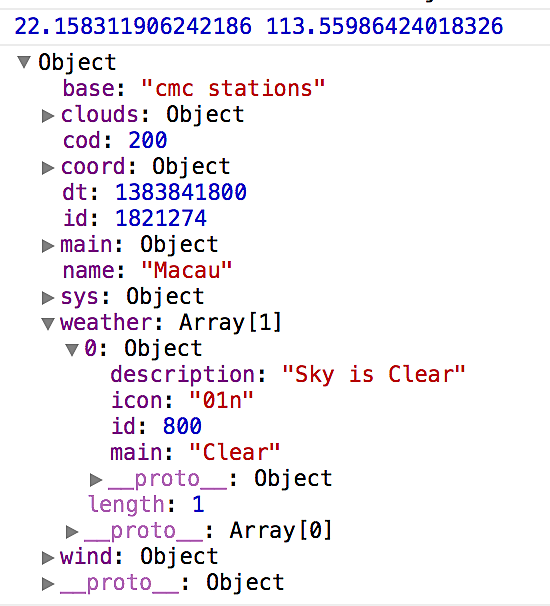
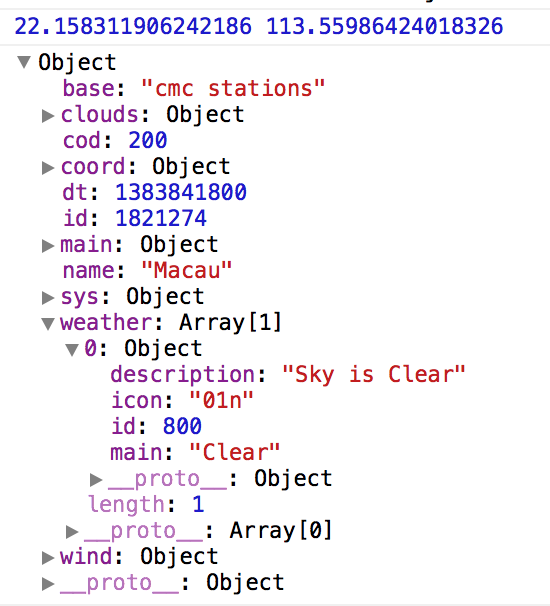
Example of fetching weather from location
Here is an example using OpenWeatherMap API.
* Please note that you may need to plug-in your API key.
navigator.geolocation.getCurrentPosition(function(location) {
  console.log(location.coords.latitude, location.coords.longitude);
  var url = 'http://api.openweathermap.org/data/2.5/weather?lat=' + location.coords.latitude + '&lon=' + location.coords.longitude + '&callback=?';
  $.getJSON(url, function(data){
    console.log(data);
  });
});